Annotate.
Edit.
View.
SimplShot is a free all-in-one tool for capturing, annotating, and refining screenshots, images, and PDFs. Add annotations, apply quick edits, use templates, and export polished visuals in seconds.
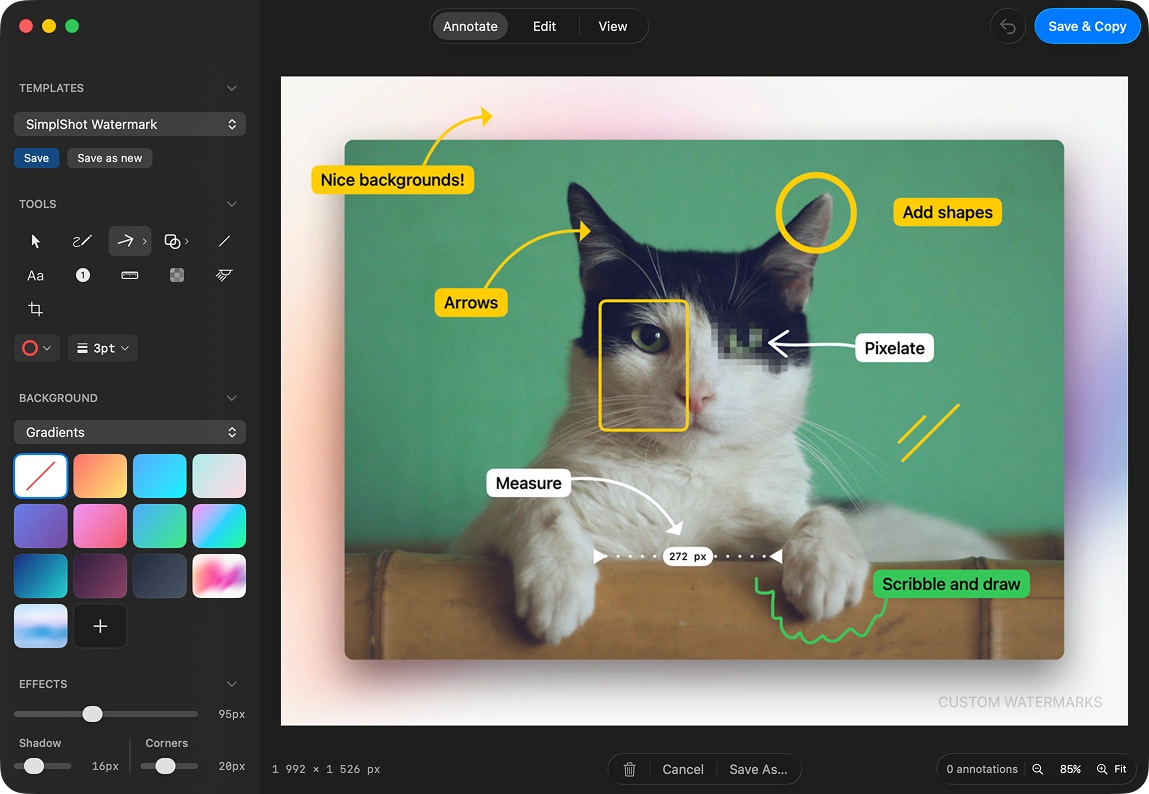
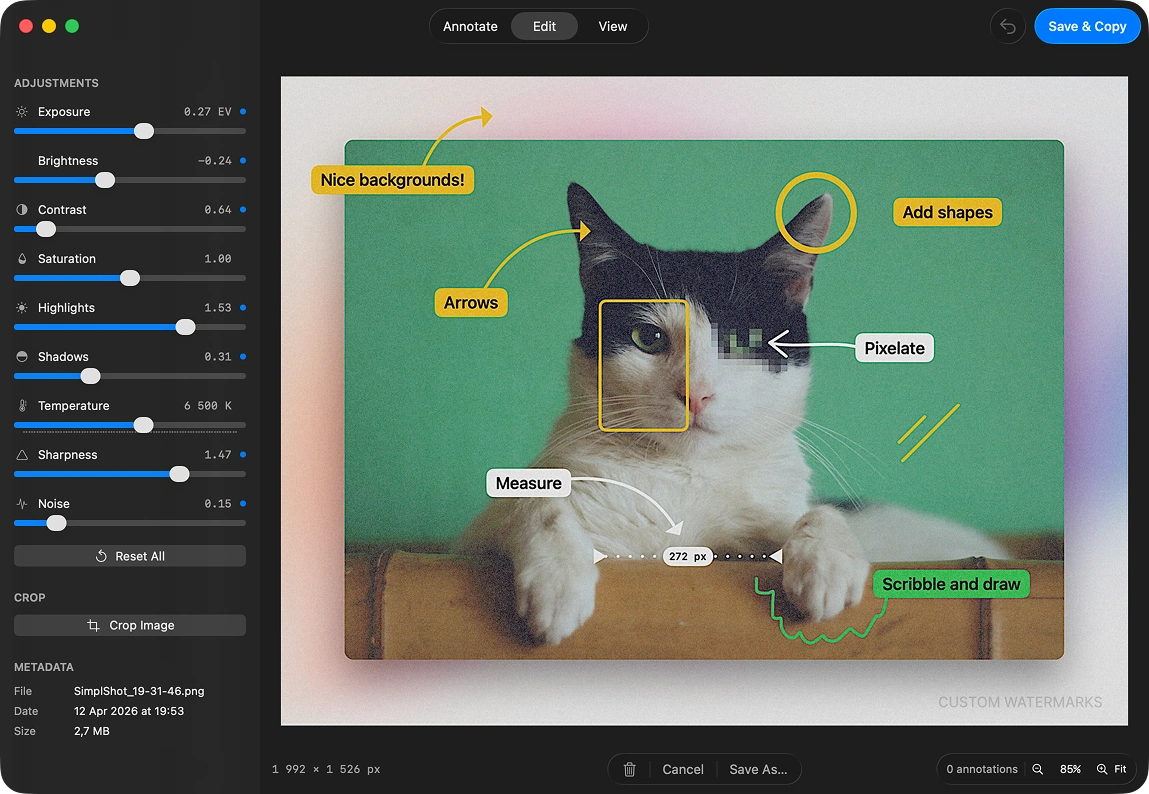
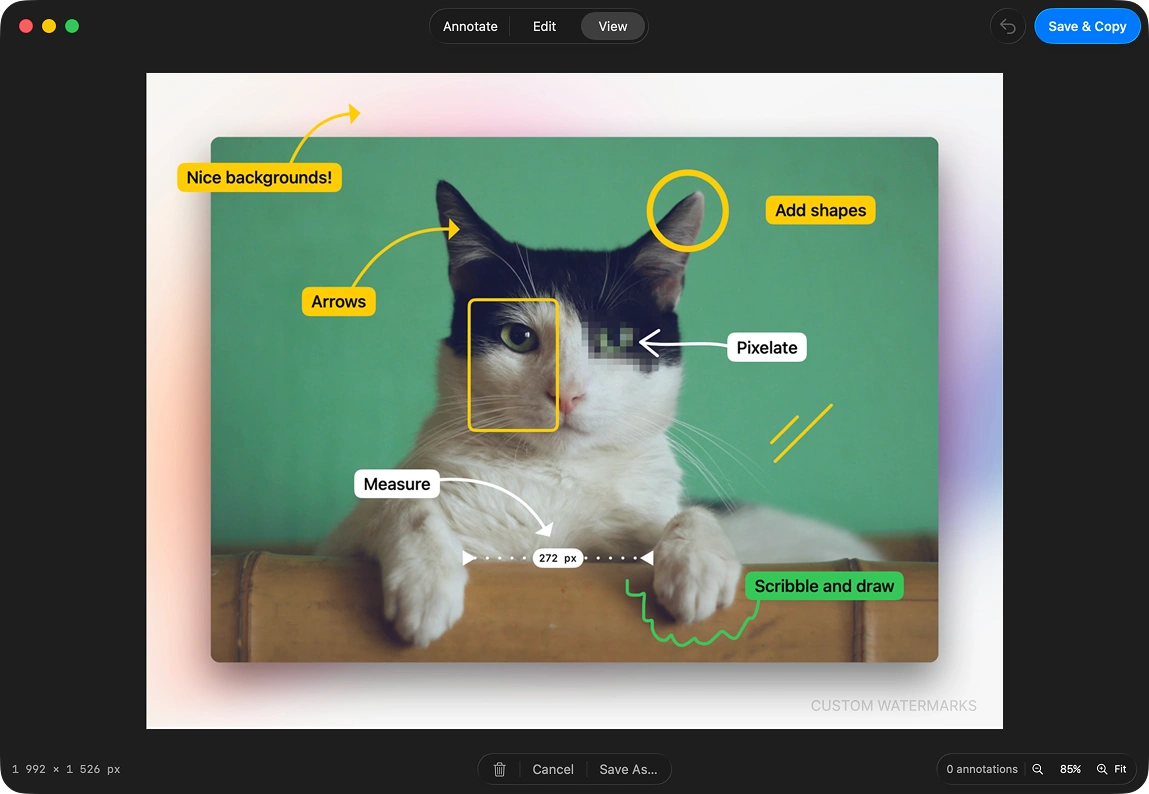
Preview showing annotate mode.
Built for everyone who captures, annotates, and shares.
SimplShot fits into your workflow whether you're annotating a PDF, editing an image, filing a bug, or shipping polished screenshots for docs and tutorials.
Developers
Capture your macOS app at every required size in one click. Annotate spec PDFs or edit screenshots without switching tools. No manual resizing, no back-and-forth.
Technical Writers
Save a template once and apply it to every screenshot instantly. Annotate PDFs with callouts and highlights just as easily. Consistent, polished output across every format.
Support Teams
Annotate screenshots and PDFs with arrows and numbered callouts. Blur sensitive data before sharing. Resolve tickets faster — no matter what file you're working from.
Indie Makers
Turn any screenshot or image into a polished launch asset. Edit directly, frame it, and batch-export at every size — website hero, Product Hunt, social post — in one shot.
Course Creators
Make every tutorial screenshot or annotated PDF look professional with custom backgrounds and consistent framing. No design skills needed.
QA Engineers
Annotate bug screenshots and spec PDFs with arrows, shapes, and measurements. Edit images directly. File clearer reports and spend less time explaining.
Annotate PDFs.
Every page.
SimplShot now opens PDFs directly — single pages or entire multi-page documents. Jump between pages, add arrows, callouts, highlights, and shapes to any page, then export a polished screenshot ready to share.
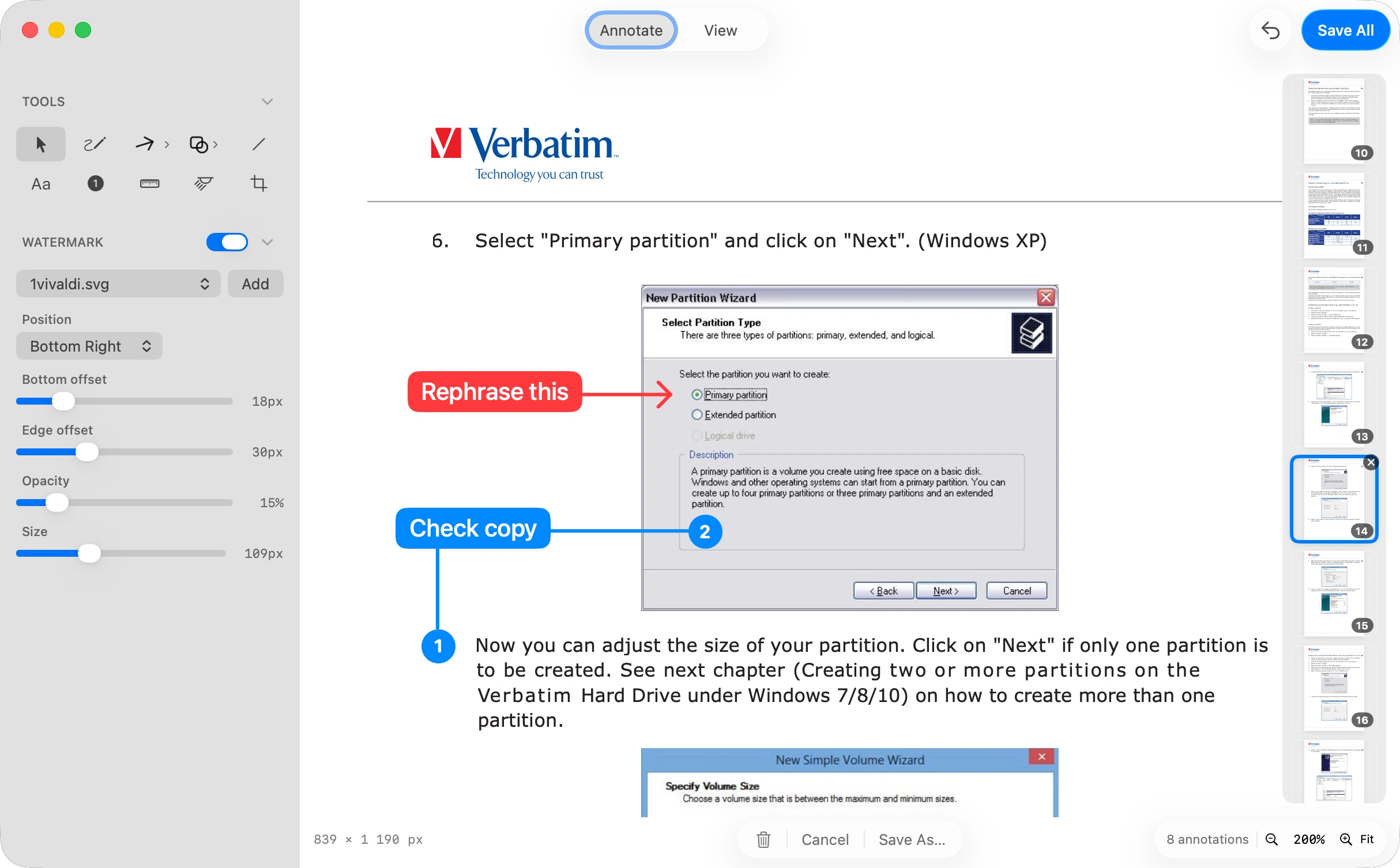
Every tool you need.
SimplShot packs a full annotation toolkit into a clean, distraction-free interface — built around the tools you actually reach for, every single day.
Free Draw
Sketch freehand on your screenshot with smooth, natural strokes.
Shapes
Circles, rectangles, and more — quickly draw attention to exactly what matters.
Arrows & Lines
Multiple arrow styles and line types to point, connect, and guide.
Pixelation
Blur or pixelate sensitive content — emails, passwords, private data — before sharing or publishing.
Highlight & Dim
Focus attention with highlights or push background content into shadow.
Measurements
Show exact pixel distances and dimensions right on the image — useful for bug reports, design feedback, and layout reviews.
Numbering
Add numbered callouts to walk viewers through steps in sequence.
Custom Backgrounds
Beautiful gradients, solid fills or your own images to make your screenshots pop.
Crop
Trim and frame your captures perfectly before you export.
OCR
Extract text from any screenshot instantly — copy it, search it, or use it anywhere.
Keyboard Shortcuts
Move faster through your workflow with shortcuts for every tool, action, and export.
Color Picker
Sample any color anywhere on your screen and instantly copy its value in any format.
Your brand on
every screenshot.
Add any image — your logo, icon, or signature — as a watermark to your screenshots. Set the position, opacity, and size. Save it to a template and your brand travels with every capture automatically.
- Drop in any image: SVG, PNG, or a transparent logo file
- Dial in opacity and size so it's prominent without overpowering
- Save to a template and watermark every future capture automatically
Batch capture.
Every size at once.
Define a set of custom window sizes, then capture any app window in all of them in a single click. No more resizing, recapturing, and re-exporting one by one.
- Perfect for Mac App Store screenshots — capture at both required sizes at once
- Generate website hero, Product Hunt, and social post sizes in a single click
- Set your own size presets and reuse them across every release
- Saves hours of repetitive resizing and re-exporting on every launch
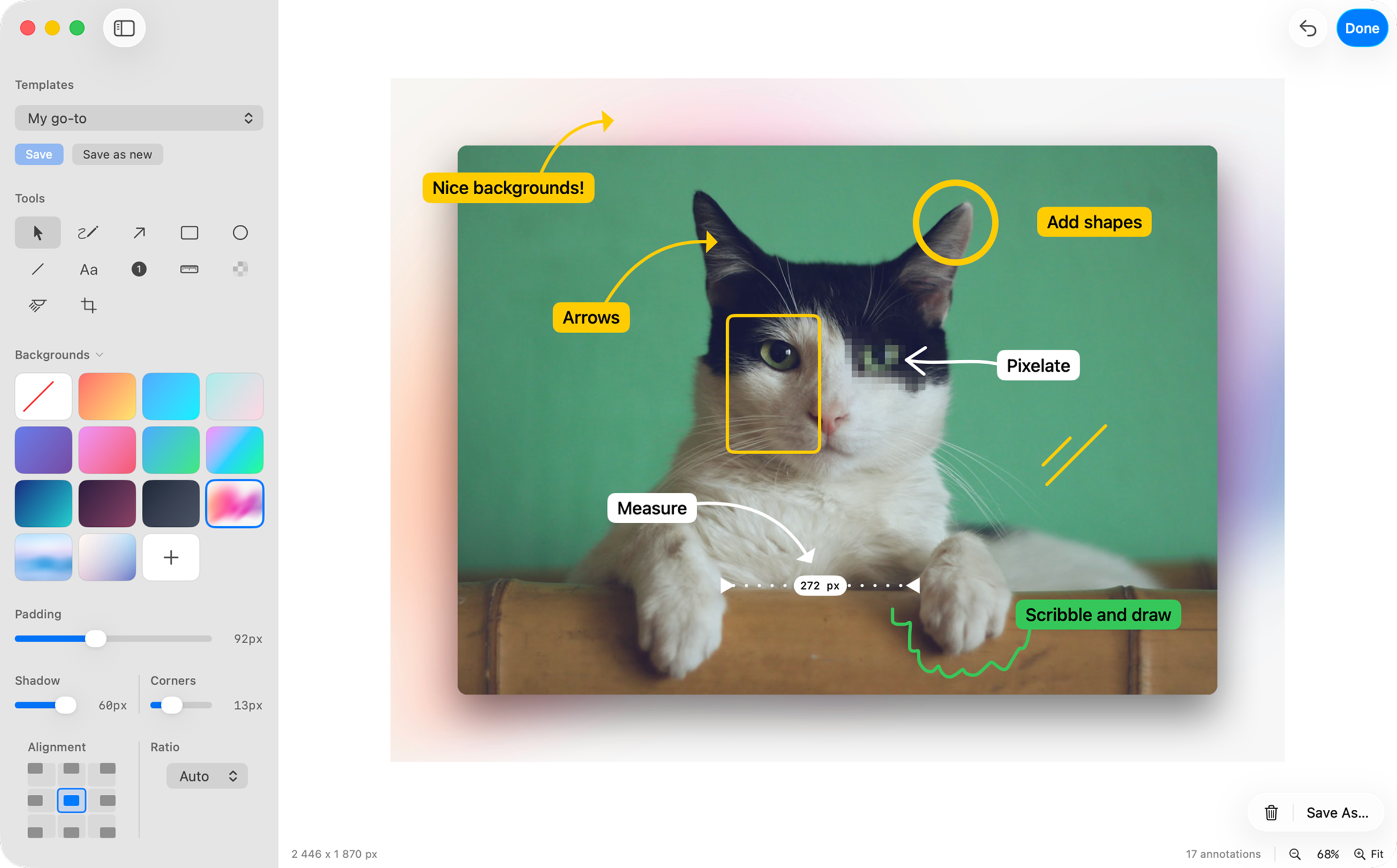
Save a look.
Reuse it instantly.
Create a template once with your preferred background color or image, padding, shadow, corner radius, and more. Then apply that same setup to future screenshots in a click so every export stays fast, polished, and consistent.
- Save the styling choices you keep dialing in over and over
- Reuse branded backgrounds, spacing, shadows, and rounded corners instantly
- Keep release notes, social posts, and docs screenshots visually consistent
- Turn repetitive polish work into a one-click starting point
Watch the quick tour
Get a feel for how SimplShot fits into your workflow in under two minutes.
SimplShot is free and open source.
No subscriptions. No accounts. No surprises. Just a tool that works.
Trusted by developers, writers, and creators.
"I use SimplShot for every doc screenshot I publish. Templates mean I never think about framing twice — just capture and ship."
"Batch capture alone saved me an hour on my last Product Hunt launch. Every size, one click. I'm not going back."
"The blur tool is a game-changer for support work. Redacting personal data before sharing screenshots used to slow me down. Now it takes two seconds."
Frequently asked questions
Everything you need to know about SimplShot — what it does, what it costs, and how it keeps your screenshots private.
Is SimplShot really free?
Yes. SimplShot is completely free and open source — no subscription, no trial, no account, and no paywalled features. It's funded entirely by optional donations through Liberapay. Every annotation, editing, capture, and export tool is included at no cost, forever.
What are SimplShot's system requirements?
SimplShot runs on macOS 14 (Sonoma) or later. It's a native Mac app — download the DMG, drag it to your Applications folder, and grant Screen Recording permission the first time you capture. No account or sign-in is required.
Can SimplShot annotate PDFs?
Yes. SimplShot opens PDFs directly — single pages or entire multi-page documents. You can jump between pages and add arrows, numbered callouts, highlights, shapes, and text to any page, then export a polished image ready to share.
Is SimplShot a good free alternative to CleanShot X, Shottr, or Skitch?
SimplShot is a free, open-source alternative to Mac screenshot tools like CleanShot X, Shottr, and Skitch. It combines annotation, image editing, PDF markup, OCR, watermarks, reusable templates, and one-click batch capture in a single app — with no subscription and no account.
Does SimplShot collect or upload my data?
No. SimplShot is local-first and private by design. All capture, annotation, and editing happens on your Mac. It doesn't create accounts, doesn't upload your screenshots, and doesn't track you. See the Privacy Policy for details.
What can I do with SimplShot besides screenshots?
Beyond capturing your screen, SimplShot edits existing images and PDFs, extracts text from any image with OCR, blurs or pixelates sensitive data, adds your logo as a watermark, applies reusable style templates, and batch-exports a window at multiple sizes in one click.
What is batch capture?
Batch capture lets you define a set of window sizes once and capture any app window in all of them with a single click. It's ideal for Mac App Store screenshots, Product Hunt assets, website heroes, and social posts — with no manual resizing or re-exporting.
Can I add my own watermark or logo?
Yes. You can drop in any image — an SVG, PNG, or transparent logo — then set its position, size, and opacity, and save it to a template so every future capture is watermarked automatically.
Does SimplShot work offline?
Yes. SimplShot runs entirely on your Mac and works fully offline. An internet connection is only used to check for and download updates.
How can I support SimplShot's development?
Because SimplShot is free and open source, the best ways to support it are donating through Liberapay, starring or contributing on GitHub, and sharing it with others who capture and annotate on macOS.